
Real WordPress cleanup case
WordPress Admin User Keeps Coming Back? What I Found After the Files Were Clean
I removed the visible malware, checked the administrator accounts and hardened the site. Then an unauthorised admin account appeared again. The persistence was not in an obvious PHP backdoor — it was hidden deeper in the database.
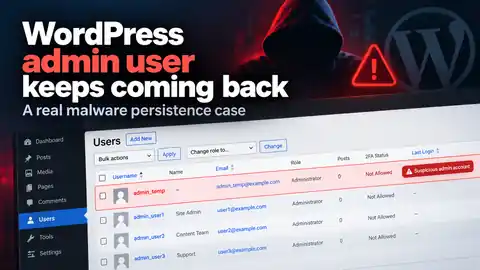
Deleted a suspicious WordPress admin and it came back?
Do not keep deleting the account and assume the problem is solved. A returning admin is evidence that something still has a way to modify the site.
Run the free external WordPress hacked checkerThe warning sign: an administrator account returned after cleanup
This site had already suffered a significant compromise involving SEO spam, malicious files, injected code and unauthorised content. After the first cleanup pass I reviewed the WordPress users and confirmed that only the expected administrator accounts remained.
During follow-up monitoring, another administrator appeared. Its registration date made it look old, but the new numeric user ID and my previous user audit showed that it had only just returned.
That mattered. If an account can come back after being removed, deleting the account is only treating the symptom. The real question becomes: what is still capable of recreating it?
WP-CLI investigation
I checked the obvious persistence locations first
I used WP-CLI and direct server access to re-audit users, search the WordPress files and compare the site against what had been present immediately after cleanup.
wp user list --fields=ID,user_login,user_email,roles,user_registeredSearching the current PHP files for the rogue username returned nothing useful. There was no obvious file with that account hard-coded inside it.
Security logging showed a failed login attempt for the suspicious username shortly after it appeared, but the login request had not created the account. WordPress already recognised the username before that request arrived.
The breakthrough
The files were not explaining it, so I went back to the database
Before making major changes I had taken a database backup. Searching that backup for the suspicious username revealed something much more important than a normal user record: the username appeared inside a MySQL trigger definition.
AFTER INSERT ON wp_comments

IF NEW.comment_content LIKE '%[redacted marker]%' THEN
    INSERT INTO wp_users (...) VALUES (..., '[redacted admin]', ...);
    -- administrator privileges added here
END IF;
The trigger watched new WordPress comments for a particular marker. When that condition was met, the database itself inserted a new WordPress user and gave it administrator privileges.
The account also received a forged old registration date, making a newly recreated administrator look as though it had existed for years.
Why the malware could come back after the suspicious files were removed
A database trigger is stored in MySQL, not as a normal PHP file inside the WordPress installation. Replacing core files, cleaning a theme or deleting a rogue plugin does not automatically remove it.
↓
database logic runs automatically
↓
WordPress user inserted
↓
administrator capability assigned
This is exactly why recurring WordPress malware needs a persistence investigation rather than another round of deleting whatever is visible in the dashboard.
This technique is not theoretical. Sucuri documented the same class of comment-driven SQL trigger backdoor in 2021, and CleanTalk published a fresh database-trigger analysis in October 2026. The important lesson is the same: if suspicious activity returns after file cleanup, the database deserves attention too.
Removing the admin account was only the last step, not the first
I first confirmed the live trigger definition and preserved the evidence. After removing that persistence mechanism, I checked the database for additional triggers, scheduled database events, stored procedures and stored functions.
Those checks came back clear. I then removed the recreated administrator, re-audited the remaining users and confirmed that the legitimate administrators were the only ones left.
I also checked whether content assigned to the recycled user ID was actually created by the attacker. One old draft appeared under that numeric ID, but its timestamps showed that it pre-dated the recreated account — a useful reminder not to delete content blindly based on an author ID alone.
What I would harden after a compromise like this
Once persistence is removed, the site still needs the route back in closed. That means reviewing administrator access, rotating exposed credentials, invalidating old sessions, updating supported plugins and themes, removing unnecessary file-management tools and enabling two-factor authentication where practical.
If the site does not use comments, pingbacks or trackbacks, disabling those unused features also reduces attack surface. In this case comments were the activation mechanism for the persistence, but they were not necessarily the original cause of the compromise.
Modified or unofficial premium WordPress components deserve particular scrutiny because they make it much harder to establish what a clean vendor copy should look like.
Frequently asked questions
Why does a deleted WordPress admin user keep coming back?
If an unauthorised administrator returns after you delete it, something still has the ability to recreate the account. That persistence might be a backdoor, stolen credentials, a scheduled task, malicious database content or another mechanism that was not removed during the first cleanup.
I removed the infected WordPress files, so why does the malware keep coming back?
Removing suspicious files only covers one persistence location. A compromised WordPress site can also retain malicious database entries, administrator accounts, scheduled jobs, must-use plugins or exposed credentials. In this case the files had been cleaned, but a database trigger could recreate the administrator account.
Can WordPress still be compromised when security scans show no infected files?
Yes. File scanners are useful, but not every form of persistence lives in a file. A clean file scan does not by itself prove that users, database objects, scheduled tasks and credentials are clean as well.
How can a hacker recreate a WordPress administrator without logging in?
Once a site has already been compromised, malicious code or database logic can create users directly rather than using the normal WordPress Users screen. That is why a returning administrator should be treated as a persistence indicator, not just as another bad login.
How do I know if my WordPress site is actually clean after malware removal?
A proper post-cleanup check should include WordPress core integrity, plugins and themes, administrator accounts, executable files in unexpected locations, database persistence, scheduled activity, security logs and credential/session hardening. No single scanner is enough on its own.
Should I reinstall WordPress if the malware keeps returning?
Not necessarily. Replacing WordPress core files can help when core files were modified, but it will not automatically remove persistence stored elsewhere. In this case a core reinstall alone would not have removed the database trigger that recreated the administrator.
WordPress malware keeps coming back after cleanup?
If you have removed suspicious files or deleted an unknown administrator and the problem returns, there is probably still a persistence mechanism or access path that has not been dealt with.
I investigate the site directly rather than relying on a single scanner, and standard WordPress malware removal is £59 with no fix, no fee.